
1 Pass
$8.99
One-time purchase · never expires
- 1 permanent pass
- One-time purchase, no subscription
- Failed generations refunded
ONE PHOTO. YOU’RE THE LEAD.
Upload one photo and get your own Dime Dime Baby dance video in minutes.
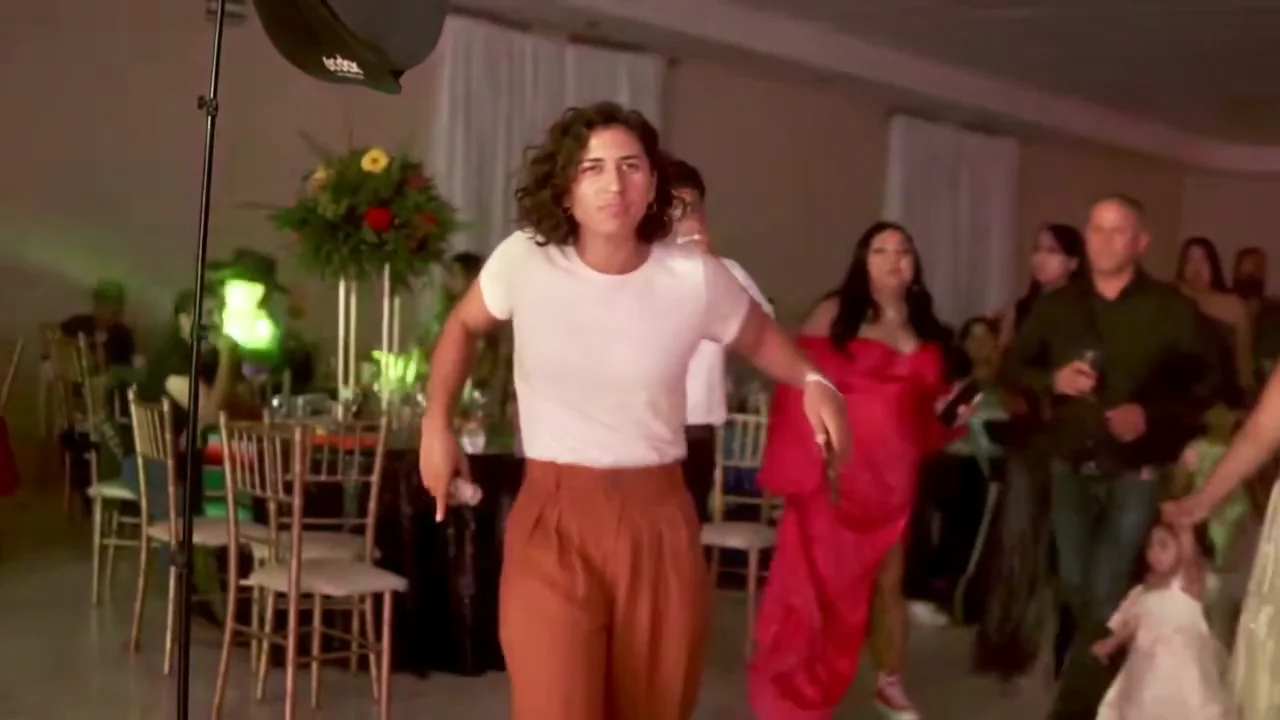
A familiar scene. An unexpected new star. Dime Dime Baby AI puts the person in your photo into the lead role—across the dance floor, into the close-up and back into the moment.
Choose the party lead’s bread-bite moment or the longer cowboy dance. Each preset uses a video reference to guide the moves, framing and pace. Your face and outfit become part of the scene; no filming or prompt writing needed.
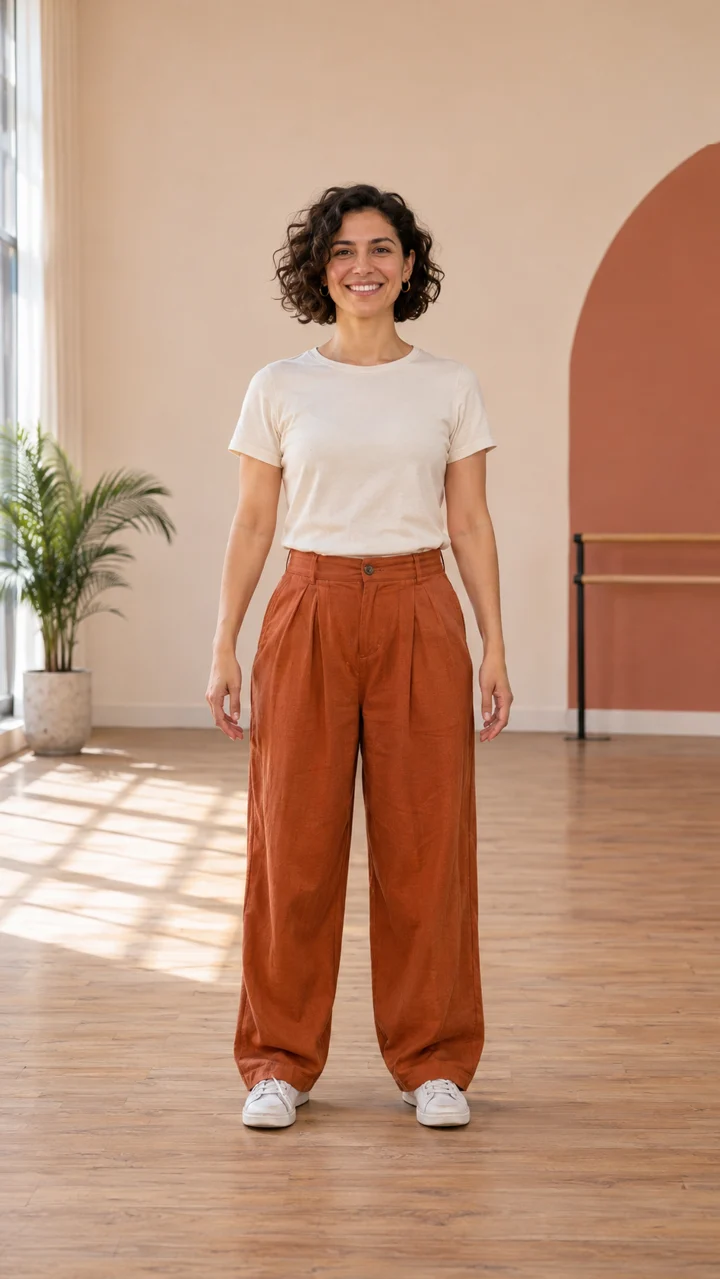 INPUT PHOTO GENERATED SCENE
The dance floor, the bread bite, the close-up. Generated preview: 9.04s · 1 Pass · 720P · 16:9.
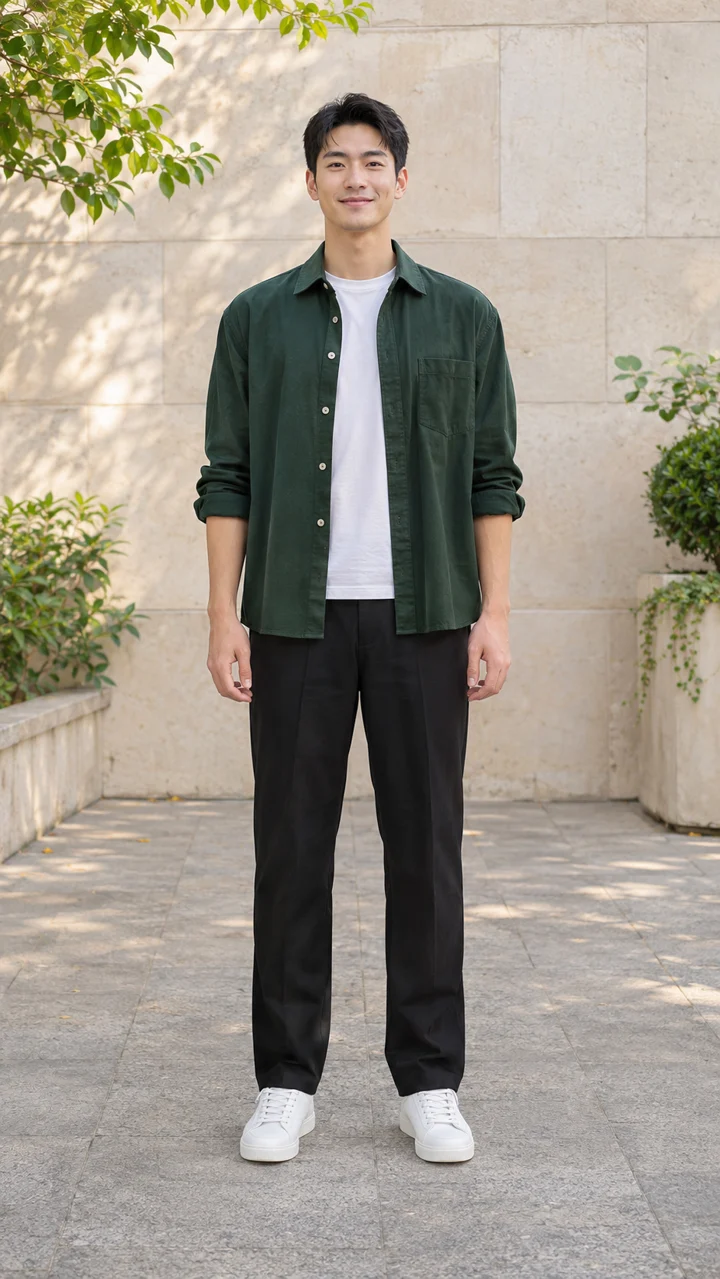 INPUT PHOTO GENERATED SCENE
The cowboy-style routine, with you in the lead. Generated preview: 14.71s · 2 Passes · 720P · 9:16.
Original photos and reference-driven videos generated for visualmakerai. Previews include the corresponding source scene’s audio. Scene lengths refer to the source; generated video length can vary.
 ONE PHOTO → YOUR FACE, THE WHOLE SCENE
Choose a clear, front-facing, full-body photo of yourself or an adult who agreed. Keep the face, hands and feet visible, and confirm permission in the upload form.
Choose Party lead (9.36 seconds, 1 Pass) or Cowboy dance (15.16 seconds, 2 Passes). Both render in 720P. Click Generate; the reference scene and choreography are already set.
Play your dance with sound, then download the MP4. Review the generated soundtrack, or choose an available BbY WOW sound in your posting app before sharing.
Start with a front-facing pose, relaxed arms and both shoes in frame. Leave room around the hands and above the head for the finishing move. One person and a simple background give the generator a clearer reference than a crowded group photo.
A sharp photo in daylight helps preserve your face and outfit. Avoid backlighting, motion blur and filters that hide facial features. Check hands, feet and identity in the finished clip. A sharper photo with more space can improve a later take.
Pay once · create later
Video Passes never expire and work across eligible video effects. Party lead · 9.36s · 1 Pass. Cowboy dance · 15.16s · 2 Passes. Both 720P. Pay through Waffo; photo credits are a separate balance.
$8.99
One-time purchase · never expires
$24.99
One-time purchase · never expires
$59.90
One-time purchase · never expires
USD prices. Taxes and final total appear at checkout. Packs activate after payment is confirmed.
KNOW YOUR OUTPUT
Durations identify the reference scenes. Generated video length can vary. Review faces, hands and movement before sharing.
BEFORE YOU GENERATE
Your Dime Dime Baby AI dance questions, answered.
The Dime Dime Baby trend pairs playful dance clips with the “dime dime baby” hook from BbY WOW. On visualmakerai, a photo becomes the lead in a reference-driven party or cowboy scene. The AI replaces the lead character while following the selected scene’s movement, camera and timing. Review the generated result before sharing.
Upload one clear photo in the form above, confirm permission, choose Party lead (9.36 seconds, 1 Pass) or Cowboy dance (15.16 seconds, 2 Passes), then click Generate. Preview your video with sound and download the 720P MP4 when it is ready. Party uses 16:9; Cowboy uses 9:16. Audio generation is enabled, but an exact copy of the source soundtrack is not guaranteed. You can replace the sound in your posting app. These durations identify the reference scenes; generated video length can vary.
You may find creator-made Dime Dime Baby templates in CapCut; availability changes by region and over time. Templates typically assemble photos or clips into an existing edit. Here, AI generates new movement from your photo directly on visualmakerai, with a built-in dance preset and no CapCut template required. We are independent of CapCut.
The song is BbY WOW by KAROL G, Judeline and rusowsky, often heard as a short or sped-up hook. The examples pair AI-generated visuals with their source scene’s audio. New videos use audio generation, so the soundtrack may vary. Search for BbY WOW in your posting platform’s sound library, choose an available version and align it with your clip. Sound availability and permitted uses depend on your region and account.
Use one sharp, well-lit, front-facing full-body photo of an adult, with the face, hands and feet unobstructed and space around the body. Choose a simple background and avoid heavy filters, sunglasses, cropped limbs or overlapping people. Upload only yourself or an adult who agreed; no celebrities, public figures or anyone under 18.
Dime Dime Baby uses Video Passes: Party lead (9.36 seconds) costs 1 Pass; Cowboy dance (15.16 seconds) costs 2 Passes. Both are 720P. New accounts get 10 credits to start. Photo credits and Video Passes are separate balances; credits cannot pay for this dance. Buy Video Passes through the existing Waffo checkout. Failed generations return the passes used.
YOUR PHOTO. YOUR MOMENT.
The dance is ready. All it needs is you.
Create my dance ↗