Sign in

THE PERSONAL STYLE STUDIO NEW

AI Skull Cap
Filter

Same you. A whole new mood.
Try the skull cap trend on your own photo.

Your face stays yoursCost shown first
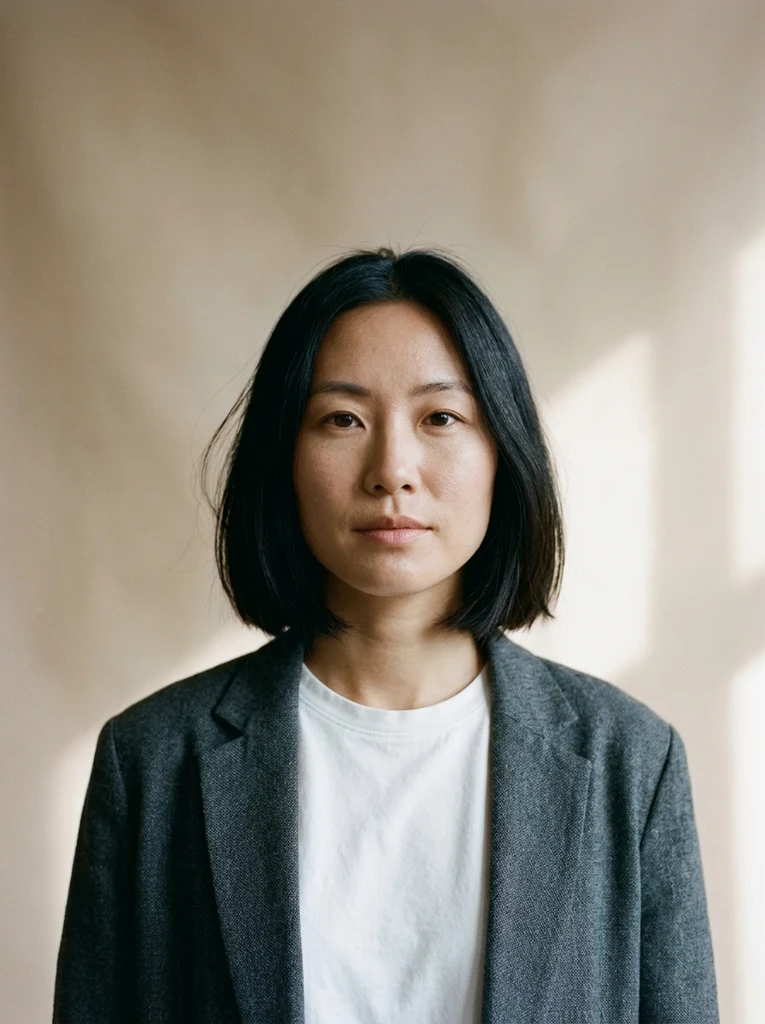
AI-generated adult portrait before stylingTHE ORIGINAL
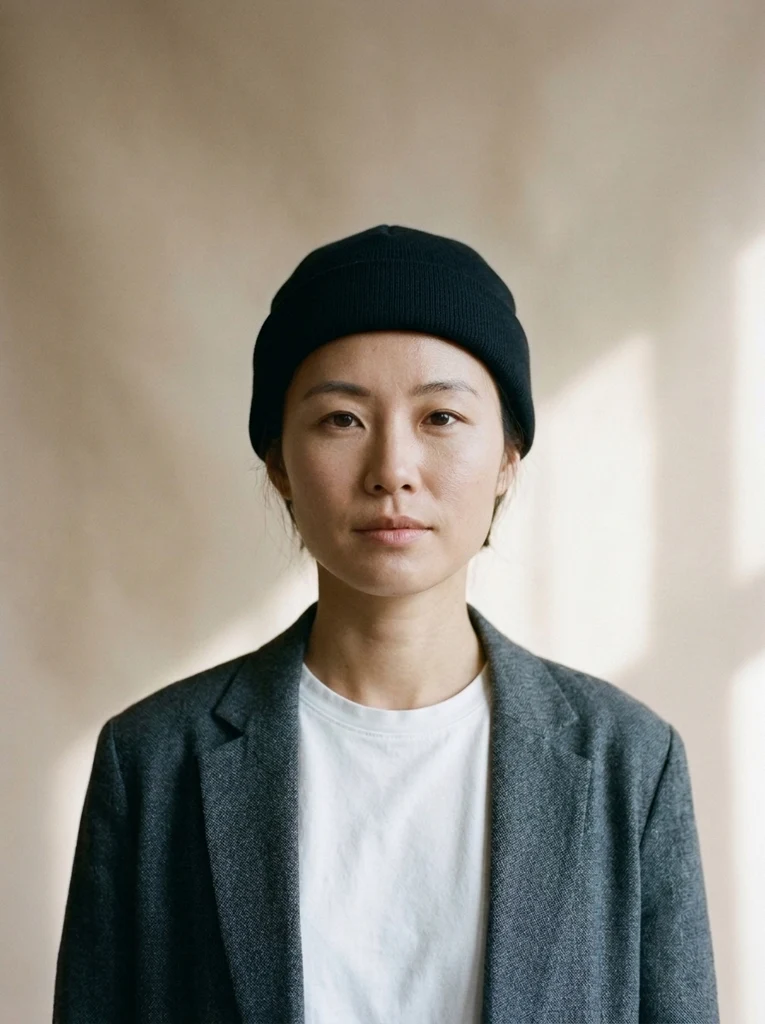
Same AI-generated adult wearing a classic black skull capYOUR NEXT LOOK ↗
8 styles.
Endless you.
Loading your personal style studio…

SMALL SWITCH. BIG ENERGY.

Meet your other sides.

Original AI-generated adults, edited with our image model. Drag to compare.

After: AI beanie stylingBefore: original portraitBEFOREAFTER
CLASSIC BLACK

The everyday signature

After: AI beanie stylingBefore: original portraitBEFOREAFTER
CREAM KNIT

A softer kind of cool

After: AI beanie stylingBefore: original portraitBEFOREAFTER
CHERRY RED

A little main-character energy

THE PROCESS

Three steps. All yours.

  1. 01

    Start with yourself.

    Choose a clear, well-lit head-and-shoulders photo. Keep your hair visible and leave your hat off.

  2. 02

    Find your signature.

    Pick a color or a whole new aesthetic. Check the credit cost, then create your look.

  3. 03

    Keep the one you love.

    Compare before and after, download your portrait, or try another style with the same photo.

THE STYLE EDIT

Find your
kind of cool.

Six colors to keep it classic. Two complete aesthetics when you want to switch things up.

Try a style

What is the skull cap trend?

Close-fitting skull caps and beanies bring an easy streetwear accent to a portrait. Start with classic black, soften it with cream knit, or explore K-pop style and Y2K styling.

This independent AI tool lets you try the look in a photo before changing your wardrobe. It is not affiliated with TikTok.

A few tips for a natural fit.

Use a front-facing head-and-shoulders portrait with good light and your hair visible. Leave space above your head, take off existing hats, and avoid heavy filters or deep shadows.

Classic presets focus on the hat. K-pop and Y2K presets can also change clothing and lighting to match the look. Review your result before sharing.

GOOD TO KNOW

A few questions.
Then you’re off.

The details before your first creation.

How do I use the AI skull cap filter?

Upload a clear portrait, pick one of eight styles, confirm permission and check the price. Generate, compare your before and after, and download the image.

Will it still look like me?

The edit is designed to preserve your face, skin tone, expression and background. AI results vary; try another take if small details change.

What colors and styles can I try?

Try classic black, grey ribbed knit, cream, navy, mocha or red. K-pop style adds a low cap and layered streetwear; Y2K street pairs a beanie with an oversized hoodie and flash lighting. Advanced settings include a color override.

Can I turn it into a video?

Yes. Download your result and upload it to Image to Video using the Animate it link. Animation is billed separately at the cost shown in that flow.

How many credits does it cost?

The default Nano Banana 2.1 model currently costs 8 credits per image at 1K. Each image costs credits by model and resolution; the generator shows the exact cost before you submit. New accounts get 10 credits to start.

Is this the TikTok filter?

No. This is an independent AI photo tool, not affiliated with TikTok. Download your portrait and share it on your preferred platform.

Can I upload someone else’s photo?

Only upload yourself or an adult who agreed. No celebrities, public figures or minors.

A NEW LOOK IS JUST THE START

Wear the mood.
Make it move.

Give your next photo a little rhythm with iPhone Kupi AI Dance.

Explore the dance