Black Friday previewStarts Nov 27, 12:00 AM PT · 500 bonus credits on your first monthly plan or 2,000 on annualView plans →
Visual Maker AI
Sign in
Visual Maker AI

AI Poster Prompts for Films, Events & Products

Explore six AI poster examples generated with GPT Image 2.5 Flare. Copy the full film, concert, product, cafe, exhibition and travel prompts to create your own.

Start creating

Copy-ready AI poster prompts by use case

Replace the fictional names and sample details before generating. Each link carries the prompt, suggested model and frame into Generate. You can review the settings before starting an image.

Atmospheric film poster
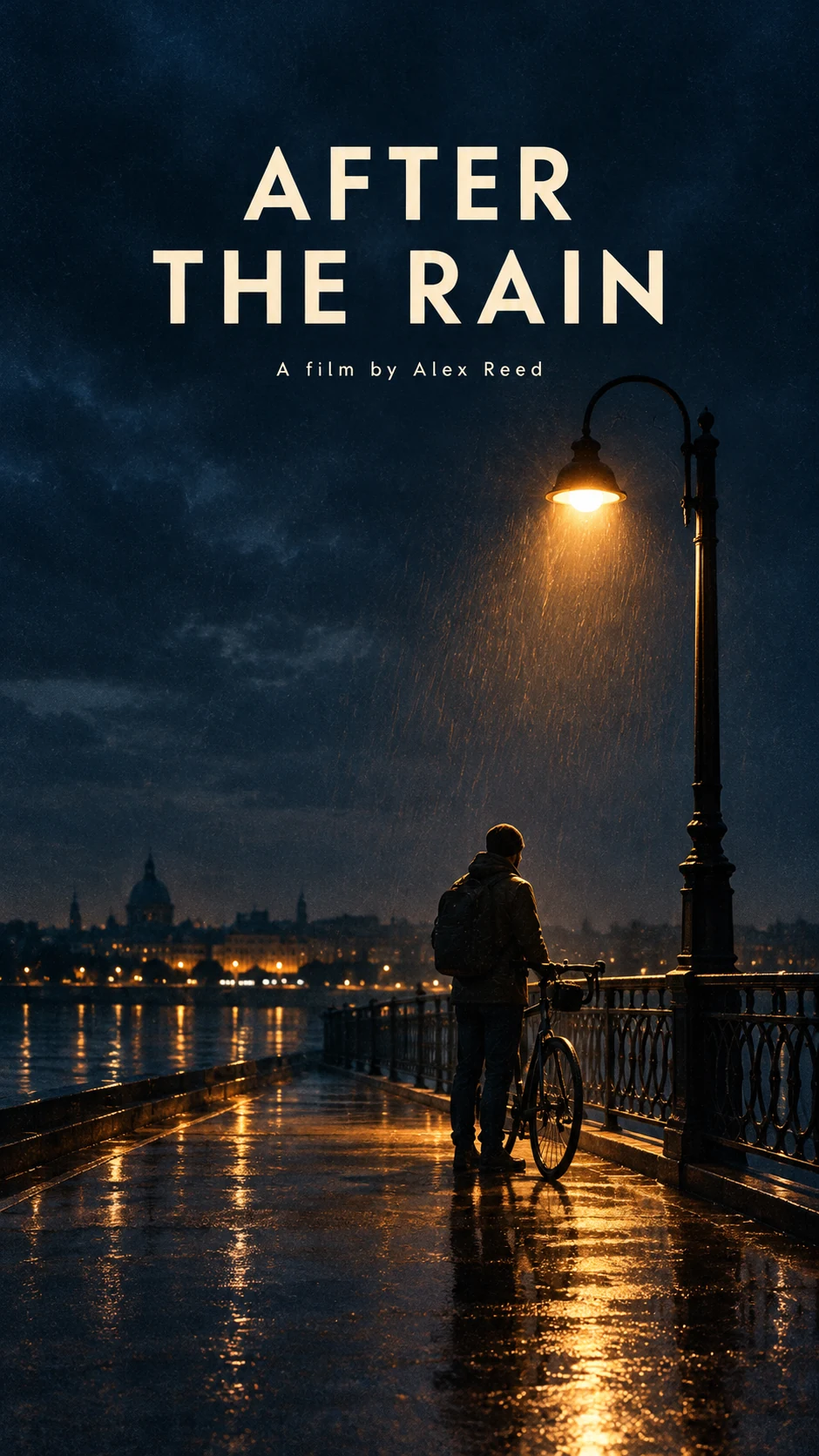
Atmospheric film poster generated from the prompt below
Generated with GPT Image 2.5 Flare on Visual Maker AI · 1K · 940 × 1672. Open image to inspect the details.
Open in Poster Generator

Use a short fictional title and one main subject. Check every letter before publishing.

Design a vertical independent film poster. A lone cyclist pauses beneath a street lamp on a rain-soaked bridge at night. Deep navy shadows, amber light and a subtle grain texture. Place the exact title "AFTER THE RAIN" in large cream sans-serif lettering in the upper third. Small text "A film by Alex Reed" below the title. Keep the lower edge quiet for credits. Strong visual hierarchy, one focal subject.

Try a variation: Replace the cyclist with an empty umbrella; keep the same title position and palette to compare the mood.

Starting setup: GPT Image 2.5 Flare · 9:16. Check resolution and the credit quote in Generate.

Use this prompt
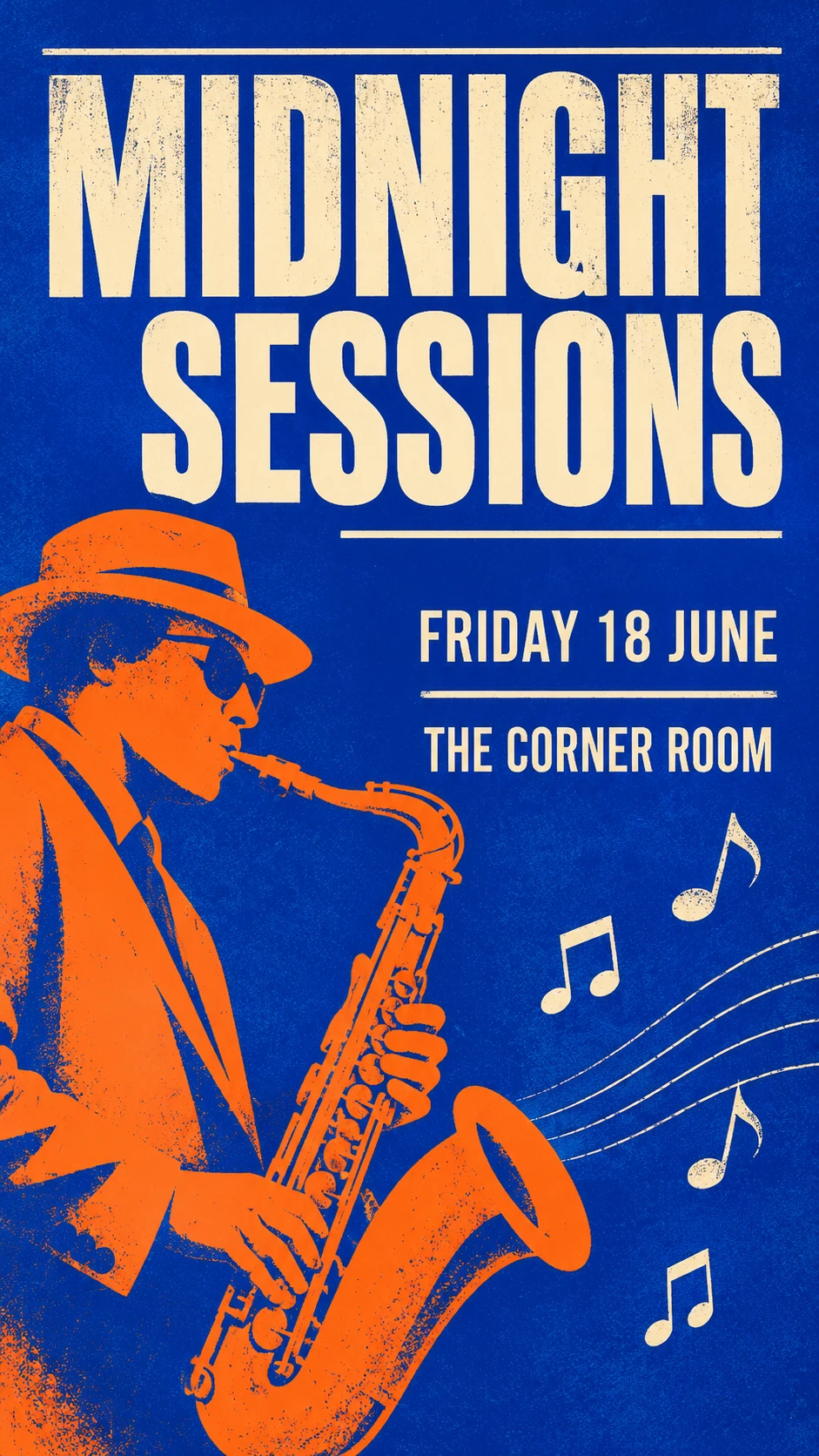
Live music event poster

Live music event poster generated from the prompt below
Generated with GPT Image 2.5 Flare on Visual Maker AI · 1K · 941 × 1672. Open image to inspect the details.
Open in Poster Generator

Replace the sample event details with your own; verify the date and venue manually.

Create a vertical poster for a fictional live jazz night. Bold cobalt background, one abstract orange saxophone silhouette and cream typography. Exact headline "MIDNIGHT SESSIONS" across the upper half. Supporting lines "FRIDAY 18 JUNE" and "THE CORNER ROOM" in smaller type. Leave clear breathing room between text blocks. Screen-print texture, crisp graphic shapes, readable event hierarchy.

Try a variation: Change only the instrument silhouette and accent color for a coordinated event series.

Starting setup: GPT Image 2.5 Flare · 9:16. Check resolution and the credit quote in Generate.

Use this prompt
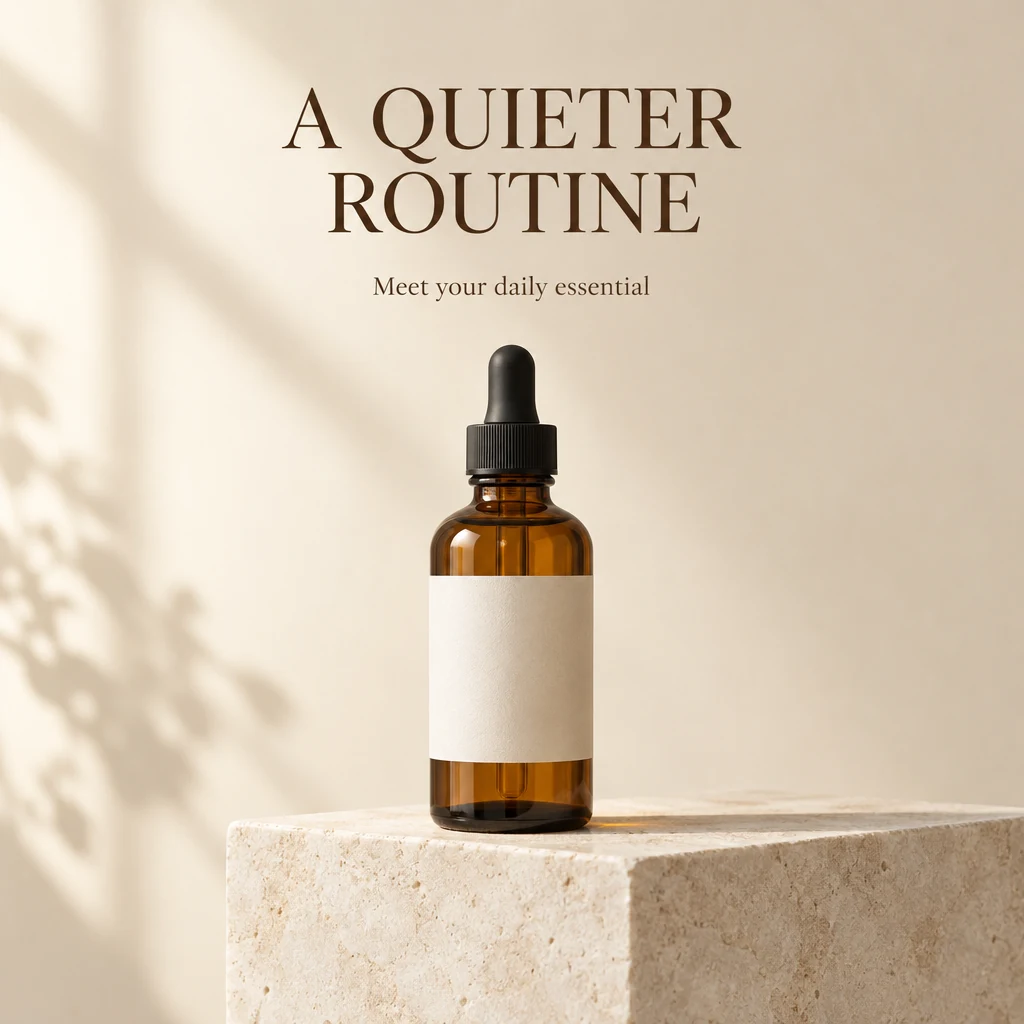
Skincare launch poster

Skincare launch poster generated from the prompt below
Generated with GPT Image 2.5 Flare on Visual Maker AI · 1K · 1024 × 1024. Open image to inspect the details.
Open in Poster Generator

Use a blank fictional package for exploration. For a real product, upload an approved product photo in an image-editing workflow.

Design a square skincare campaign poster for a fictional brand. One unbranded amber glass bottle stands on a pale stone plinth. Soft morning light enters from the left, warm ivory background, delicate shadow. Exact headline "A QUIETER ROUTINE" in dark brown serif lettering at the top. Small line "Meet your daily essential" below. Keep the bottle label blank and the composition spacious. Premium editorial product photography.

Try a variation: Replace the stone plinth with folded linen while retaining the bottle position and headline.

Starting setup: GPT Image 2.5 Flare · 1:1. Check resolution and the credit quote in Generate.

Use this prompt

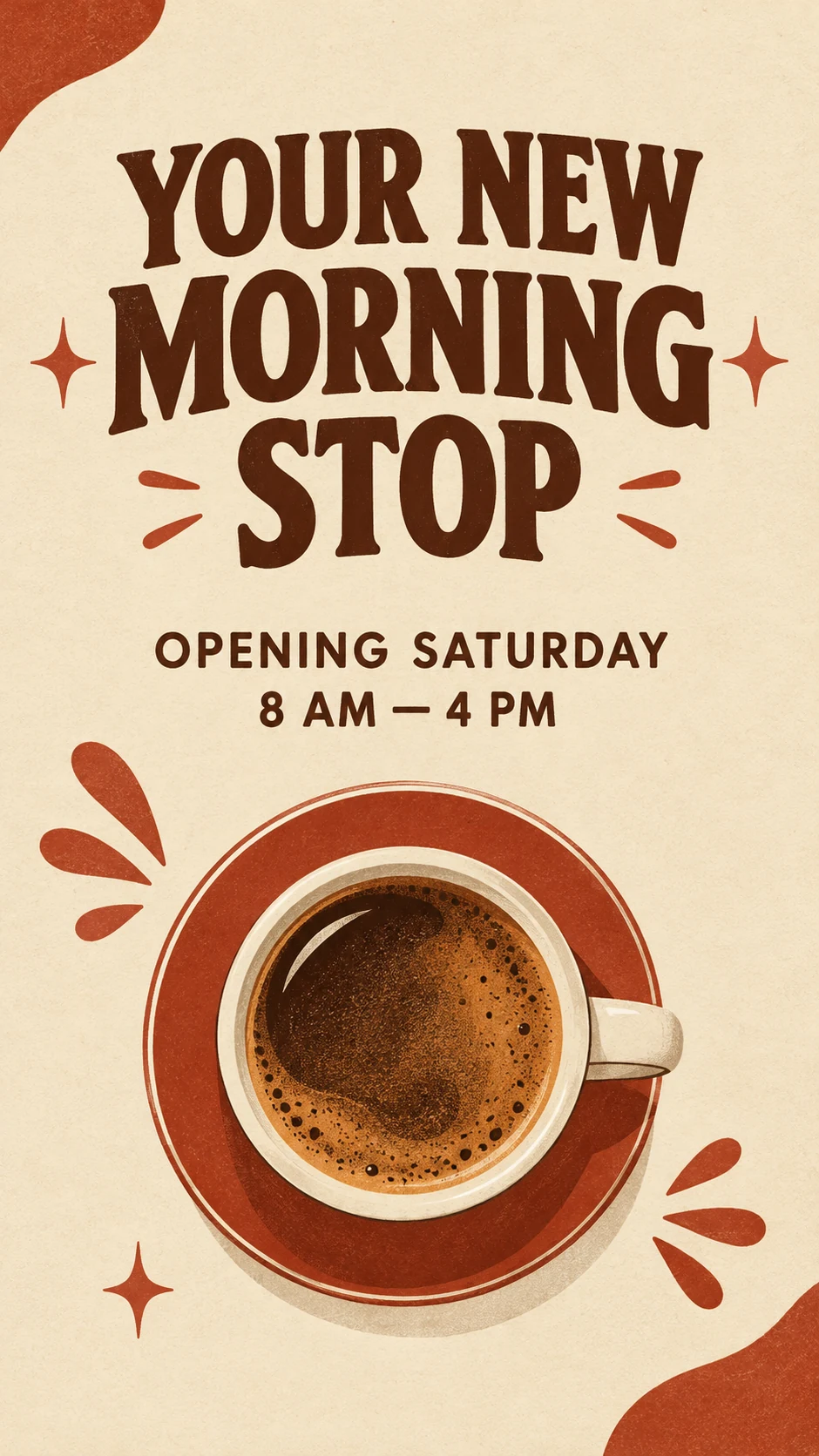
Coffee shop opening poster

Coffee shop opening poster generated from the prompt below
Generated with GPT Image 2.5 Flare on Visual Maker AI · 1K · 940 × 1672. Open image to inspect the details.
Open in Poster Generator

Keep the headline separate from opening hours so the image remains readable at thumbnail size.

Create a vertical coffee shop opening poster with a warm cream paper background. One illustrated espresso cup seen from above, rust-red accent shapes and dark brown typography. Exact large headline "YOUR NEW MORNING STOP". Beneath it, smaller text "OPENING SATURDAY" and "8 AM — 4 PM". Place the cup in the lower half and keep all text away from the edges. Friendly mid-century print illustration.

Try a variation: Swap the espresso cup for a croissant illustration to make a breakfast version.

Starting setup: GPT Image 2.5 Flare · 9:16. Check resolution and the credit quote in Generate.

Use this prompt
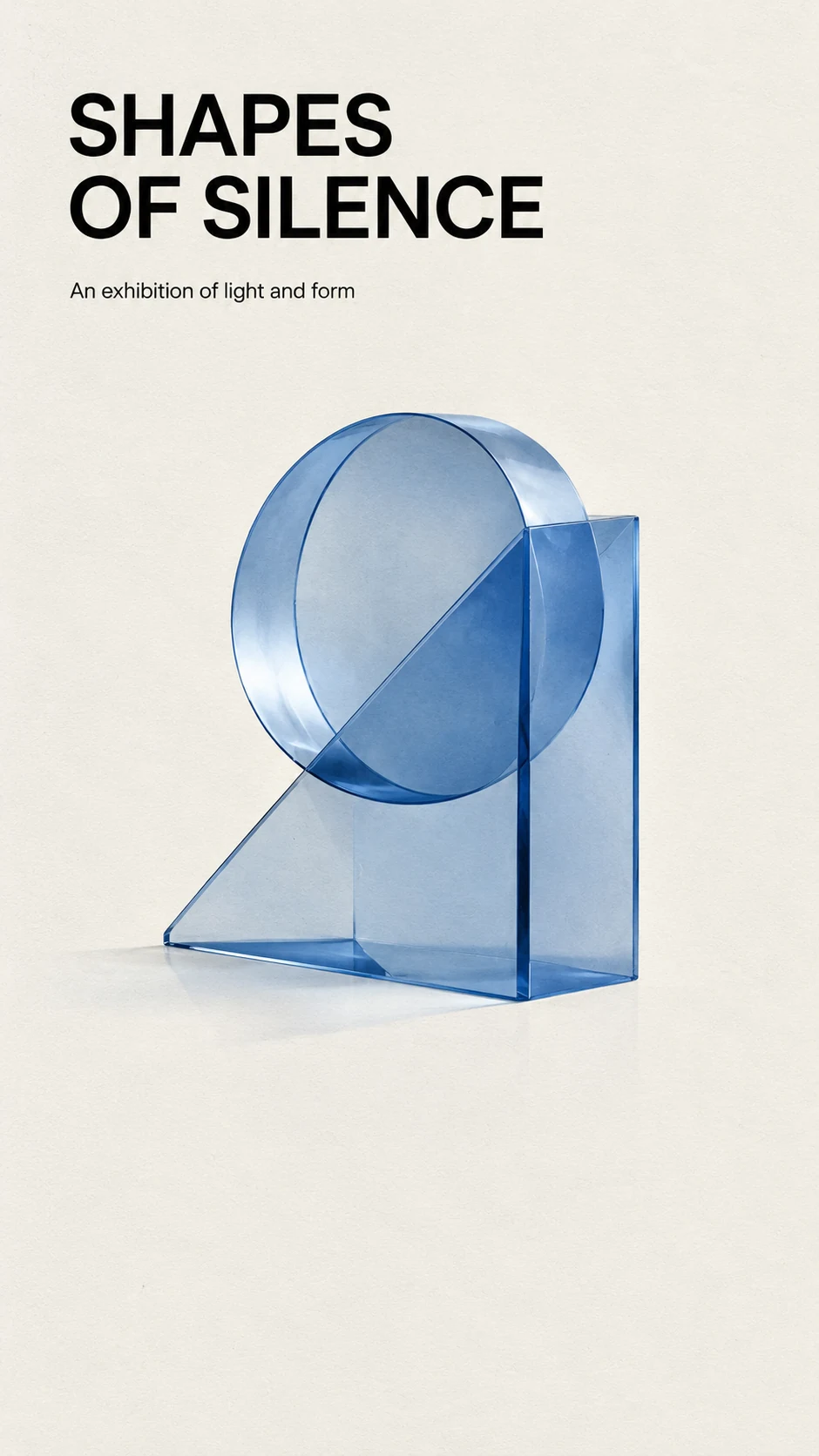
Minimal exhibition poster

Minimal exhibition poster generated from the prompt below
Generated with GPT Image 2.5 Flare on Visual Maker AI · 1K · 940 × 1672. Open image to inspect the details.
Open in Poster Generator

Add final ticket information and accessibility details in a layout editor after generation.

Design a vertical contemporary art exhibition poster on an off-white background. One oversized translucent blue geometric sculpture occupies the middle third. Exact black headline "SHAPES OF SILENCE" aligned top left. Small supporting text "An exhibition of light and form" below. Large negative space, precise asymmetrical grid, restrained museum identity, subtle paper texture. Reserve the bottom quarter for event details added later.

Try a variation: Change the sculpture from a blue sphere to a red folded ribbon without changing the grid.

Starting setup: GPT Image 2.5 Flare · 9:16. Check resolution and the credit quote in Generate.

Use this prompt
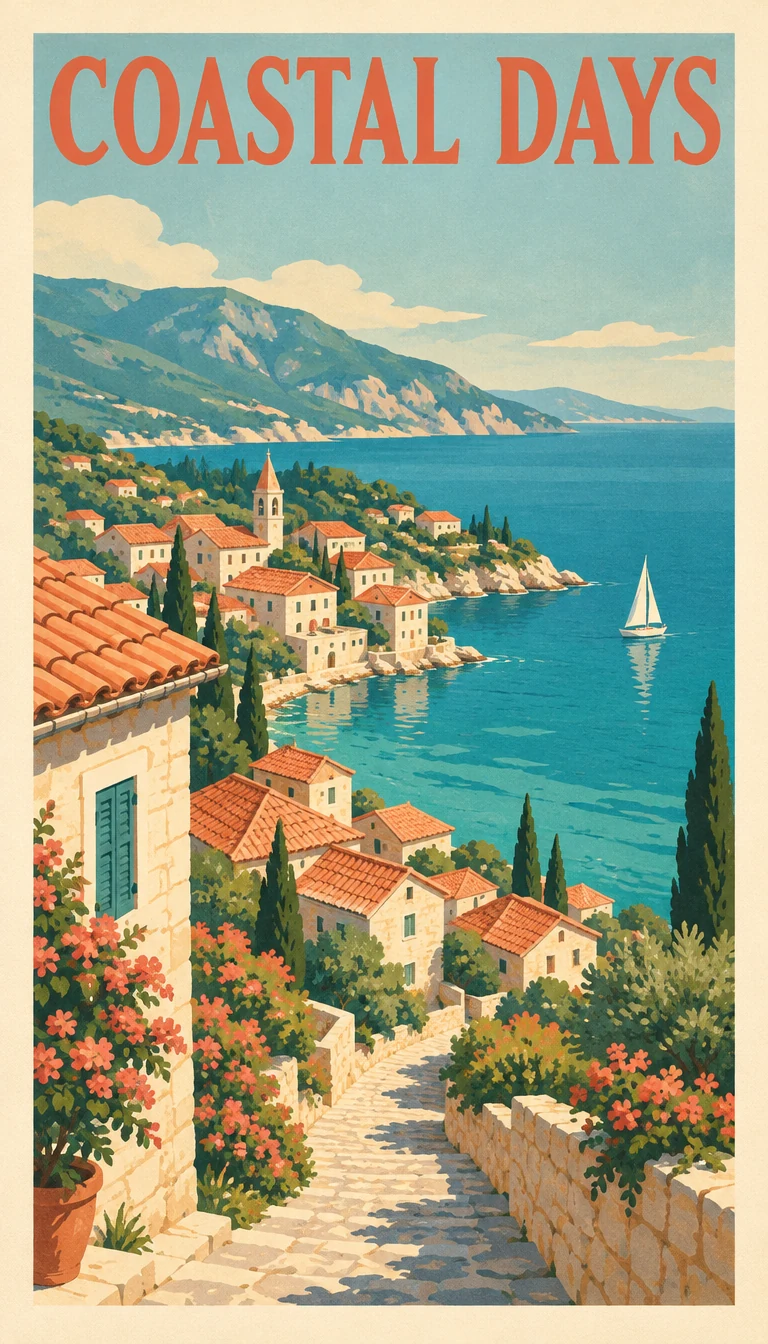
Vintage travel poster

Vintage travel poster generated from the prompt below
Generated with GPT Image 2.5 Flare on Visual Maker AI · 1K · 768 × 1344. Open image to inspect the details.
Open in Poster Generator

Use an imagined destination for a concept; confirm geographic details if adapting it for a real place.

Create a vertical vintage travel poster of an imagined coastal town. Terracotta rooftops, a winding path to a turquoise bay and a small white sailboat. Flat layered shapes, warm afternoon light, limited coral, teal and cream palette, gentle lithographic texture. Exact large title "COASTAL DAYS" along the top. Leave a clean cream margin around the illustration. Balanced, inviting composition with no extra lettering.

Try a variation: Change the bay to a mountain lake and the palette to forest green and mustard.

Starting setup: GPT Image 2.5 Flare · 9:16. Check resolution and the credit quote in Generate.

Use this prompt

Build a poster brief before adding style words

A poster has a job: announce an event, introduce a product or make a story memorable. Start with that job, then choose one dominant visual and one headline. Give the model a simple hierarchy: headline first, subject second, supporting information third. A striking image can still be an ineffective poster if the viewer cannot find the message.

Use this structure: purpose + main visual + layout + exact short text + palette + finish. For example, specify a concert poster with a saxophone silhouette, a large headline in the upper half and a smaller date beneath it. Describe text placement rather than relying on adjectives such as “professional.” Each sample was generated with the full prompt displayed on its card.

From first draft to a usable poster

  1. Check the message at thumbnail size. If the headline and focal subject compete, simplify the background or shorten the headline before increasing detail.
  2. Revise one variable. Keep the composition while changing the palette, or keep the palette while moving the headline. This makes comparisons useful.
  3. Proofread and finish the layout. Correct generated lettering and add final dates, logos, small print and credits in an editor. Keep essential text inside a safe margin.
  4. Prepare for the destination. A 9:16 social image is not automatically a print-ready poster. Check the required crop, pixel size, bleed and color settings with your printer or publishing platform.

Fix common poster problems

Too much lettering

Request only the headline and one supporting line. Generate the visual with blank space if exact wording keeps failing, then typeset it yourself.

Busy, unreadable composition

Remove secondary objects, specify one focal subject and reserve a plain area for text. Test a two-color palette before adding textures.

AI poster prompt questions

How do I write an AI poster prompt?

Name the purpose, one main visual, a palette and the text hierarchy. Put short exact headlines in quotation marks and say where they should sit. Leave space for details that you will add in a layout editor.

Can AI generate accurate text on a poster?

Text can contain misspellings, extra letters or inconsistent spacing. Keep the requested wording short, check the output carefully and add final dates, legal text and small credits in a design editor when accuracy matters.

Which model and poster size should I start with?

The template links open GPT Image 2.5 Flare with a square or vertical frame. You can change the model and resolution in Generate. Choose the final crop for your placement and confirm pixel dimensions before print production.

Are these templates free to copy, and does generation cost credits?

You can copy and edit the prompt text without signing in. Generating an image requires an account and sufficient credits; the current quote appears in Generate. Check the applicable model terms and rights to any uploaded assets before commercial use.